Recently, we had lots of requests to add emoji, emoticons or smiley in the Shayari. Today, Through this post I’m gonna show you guys, how you can add emoji while submitting your shayari.
Before going further, I would like to tell you this post is for the “CONTRIBUTORS” who want to add emoticons in their Shayari. If you are not the contributor, still you can read this article. It will help you to add emojis to any website.
There are many ways by which you can add Emoji to zindagiterenaam.com shayari. Lets discuss all of them.
We will discuss here 2 types of users: mobile user and the desktop user. since the keyboards are different for these platforms so we will discuss both type of users separately.
ADD EMOJIS THROUGH MOBILE DEVICE
Our website accepts almost all type of Emojis, user can add them by using their default android or apple keyboard. If you don’t know how you can get those emojis from the keyboard, I am showing a snapshot below probably that may help you to find them.
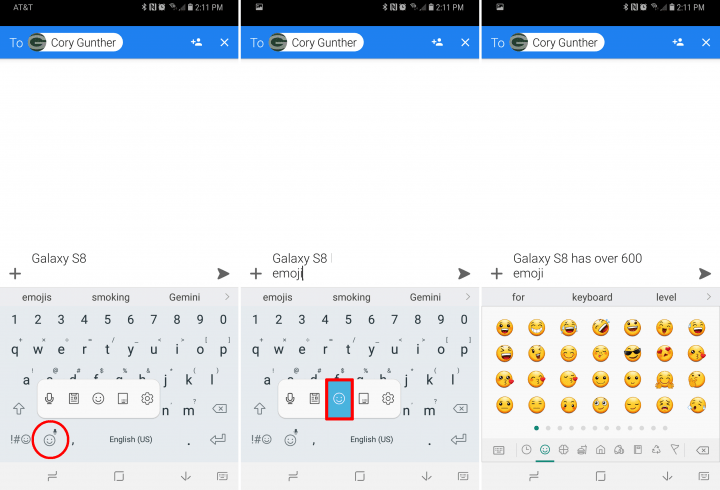
This should work seamlessly without any issue.
ADD EMOJIS THROUGH DESKTOP
I’m gonna show you two methods that will work perfectly for your desktop and these methods are:
ADD EMOJIS THROUGH WINDOWS 8 OR WINDOWS 10
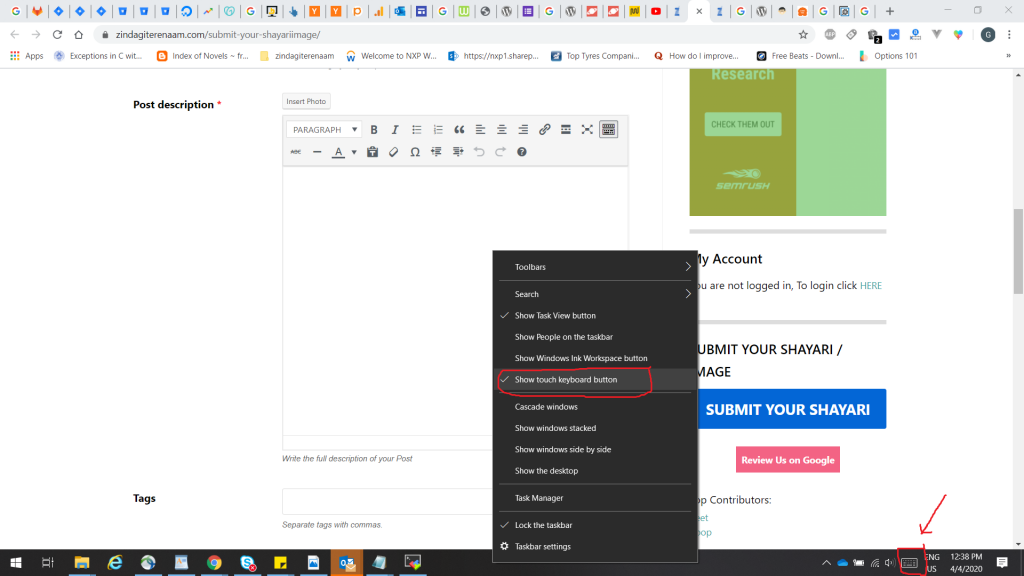
If you are user of windows 8 and windows 10 then this method will work for you very perfectly. windows have a facility of “touch keyboard” and we can use it to add emoji. below are the steps:
- Right click on the empty space on task-bar.
- click on the “show touch keyboard button”.
- A keyboard will be shown at taskbar at right corner:
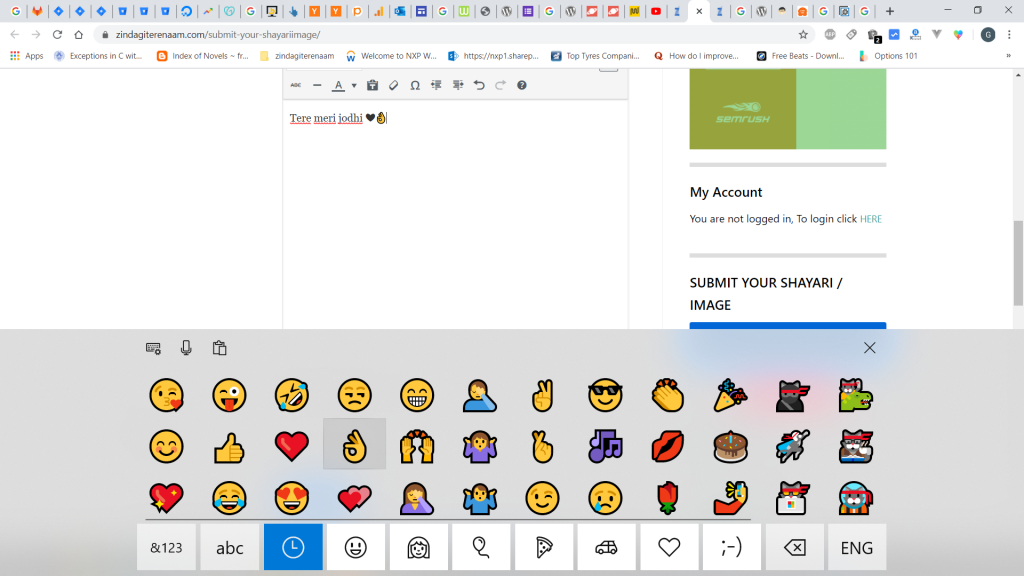
- click on it and select emoticons you want to use
SNAPSHOTS:
ADD EMOJIS THROUGH GOOGLE CHROME BROWSER
If you are the user of chrome browser, you can follow below steps to add emoticons:
- download and install the “Emoji Keyboard” chrome extension.
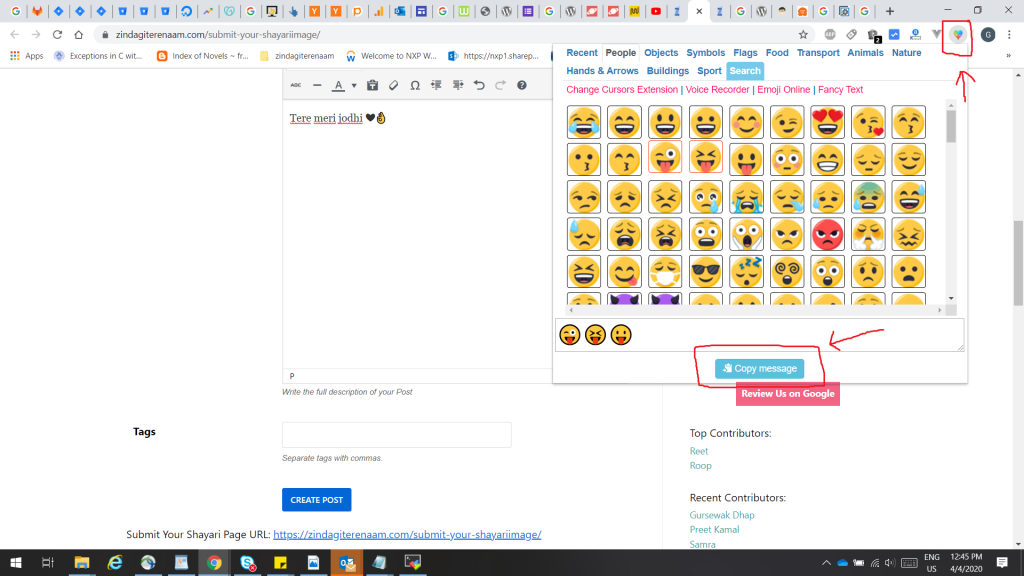
- Once installed, an Emoji icon will available at the upper-right corner of the Chrome browser screen. Select it.
- Type the text you want to type and include the emoji characters you wish to use, then select “Copy Message“.
- Paste (CTRL + V) the Emoji message in the text field where you would like to use it.
SNAPSHOT:
The LAST METHOD THAT WILL WORK FOR EVERYONE
This is also a copy and paste method. we will copy emoticons from a site and can paste them where ever we want:
- Visit the website: www.emojis.com
- copy(ctrl + c) the emoji you like and paste (ctrl + v) at your required location.
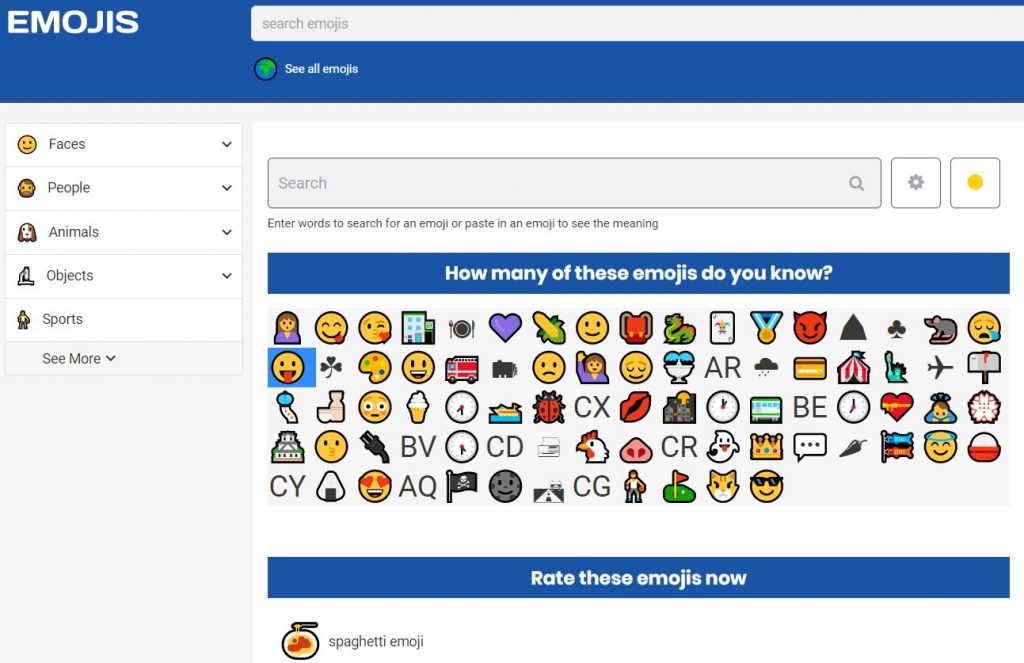
- Here is the snapshot of the website: