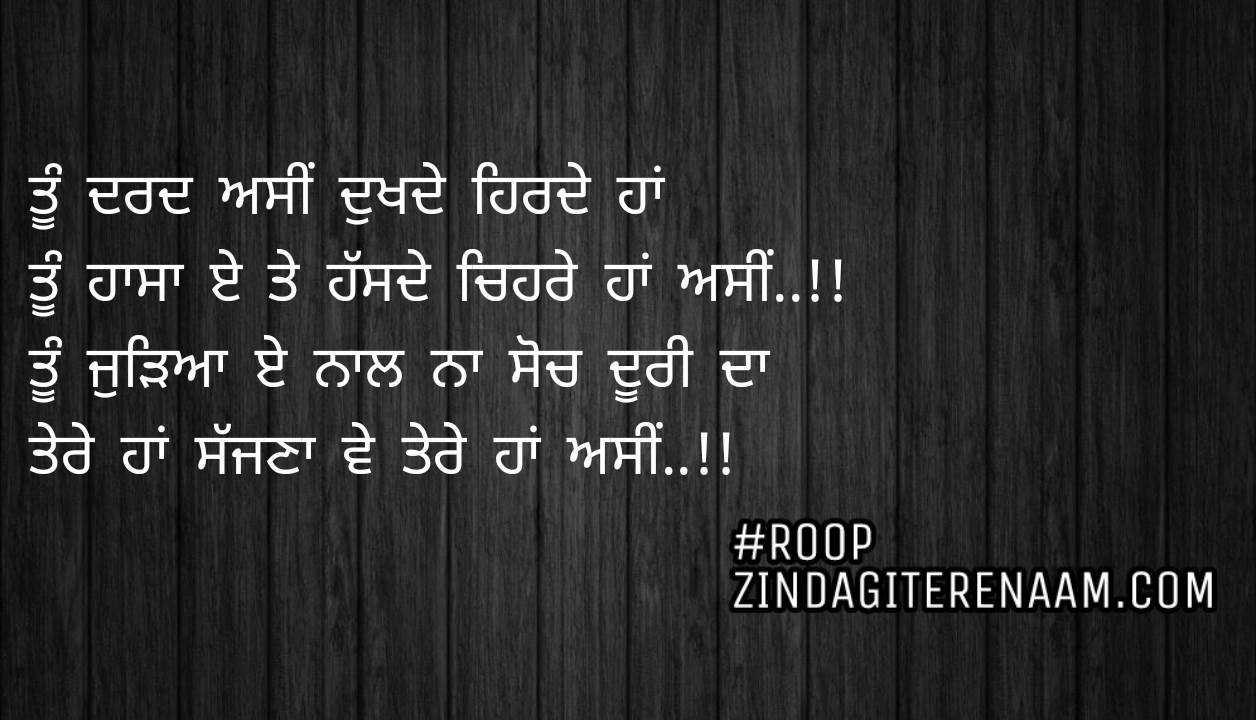
Tu hasa e te hassde chehre haan asi..!!
Tu judeya e naal na soch doori da
Tere haan sajjna ve tere haan asi..!!
ਨੀ ਤੂੰ ਮੈਨੂੰ ਆਪਣੇ ਸ਼ਹਿਰ ਤੋਂ ਬਚਾ
ਏ ਰਾਤਾਂ ਨੂੰ ਖੂਨ ਨਿਚੋੜ ਦਾ ਏ
ਵੇਖ ਕੀਤਾ ਕੀ ਹਾਲ ਏਨੇ ਮੇਰਾ
ਤੂੰ ਏਨੇ ਪਾਪ ਨਾ ਕਮਾ
ਤੂੰ ਮੈਨੂੰ ਆਪਣੇ ਸ਼ਹਿਰ ਤੋਂ ਬਚਾ
ਇਹ ਆਪਣੀਆਂ ਧੁੱਪਾਂ ਨਾਲ
ਤੇਰੀਆਂ ਯਾਦਾਂ ਦੇ ਭਰੇ ਇਸ ਸਿਰ ਨੂੰ ਫੋੜ ਦਾ ਏ
ਤੇਰਾ ਸ਼ਹਿਰ ਮੇਰੇ ਰਤ ਨੂੰ ਆਪਣੇ ਗੰਦੇ ਨਾਲੇ ਚ
ਰੋੜ ਦਾ ਏ
ਜ਼ਖਮ ਗੁਝੇ ਲਾ ਕੇ ਦਿਲ ਤੇ ਲੂਣ ਲਪੋੜਦਾ ਏ
ਨੀ ਤੂੰ ਮੈਨੂੰ ਆਪਣੇ ਸ਼ਹਿਰ ਤੋਂ ਬਚਾ
ਏ ਰਾਤਾਂ ਨੂੰ ਖੂਨ ਨਿਚੋੜ ਦਾ ਏ
ਜਦ ਰਾਤ ਦਾ ਬੋਲ-ਬਾਲਾ ਹੁੰਦਾ ਏ
ਤੇਰੇ ਸ਼ਹਿਰ ਦਾ ਸਨਾਟਾ
ਮੇਰੀ ਨੀਂਦ ਦੇ ਖਵਾਬ ਉਖੋੜਦਾ ਏ
ਹੱਥਾਂ ਵਿਚ ਕਲਮ ਫੜਾ ਕੇ
ਜ਼ਖਮਾਂ ਦੇ ਅੱਖਰ ਘੜਾ ਕੇ
ਕੋਰੇ ਕਾਗਜ਼ ਤੇ ਘਸੀੜਦਾ ਏ
ਡਿਗਦੇ ਅੱਥਰੂਆਂ ਨੂੰ ਇਕੱਠਾ ਕਰ
ਜਿਵੇਂ ਚੱਕੀ ਚ ਪਾ ਪਸੀੜਦਾ ਏ
ਤੇਰਾ ਸ਼ਹਿਰ ਤਾਂ ਬੜਾ ਨਿਰਦਈ ਏ
ਜੋ ਚਾਟੀ ਚ ਪਏ ਅੱਧ-ਰਿੜਕੇ ਨੂੰ ਰੋੜਦਾ ਏ
ਠੰਡੀਆਂ ਹਵਾਵਾਂ ਛੱਡ, ਜਿਸਮ ਦਾ ਮਾਸ ਸਕੋੜਦਾ ਏ
ਨੀ ਤੂੰ ਮੈਨੂੰ ਆਪਣੇ ਸ਼ਹਿਰ ਤੋਂ ਬਚਾ
ਇਹ ਰਾਤਾਂ ਨੂੰ ਖੂਨ ਨਿਚੋੜਦਾ ਏ
ਤੇਰਾ ਸ਼ਹਿਰ ਕਾਹਦਾ ਵਿਕਸਿਤ
ਜੋ ਨਰੋਏ ਦੀ ਰੂਹ ਤੇ ਧੂੰਆਂ ਧੂੜਦਾ ਏ
ਲੋਭੀ ਲੋਕ, ਲੋਭੀ ਸ਼ਹਿਰ ਤੇਰਾ ਆ
ਪੈਸਾ ਵੇਖ ਯਾਰ ਨੂੰ ਪਿੱਠ ਵਿਖਾੜਦਾ ਏ
ਬਿਮਾਰ ਬੱਦਲ, ਬਿਮਾਰ ਪੌਣਾ,
ਬਿਮਾਰੀ ਨੇ ਘਰ, ਤੇਰਾ ਸ਼ਹਿਰ ਬਣਾਇਆ
ਬਿਮਾਰੀ ਵੱਸ ਗਈ ਇਹਦੇ ਹੱਡ ਅੰਦਰ
ਰੋਗ ਚੰਦਰਾ ਮੇਰੇ ਦਿਲ ਤੇ ਲਾਇਆ
ਜਦ ਤੇਰੇ ਮੈਂ ਸ਼ਹਿਰ ਚ ਆਇਆ
ਬੁੱਲਾਂ ਨੇ ਮੁੜ ਹਾਸਾ ਨਾ ਵਖਾਇਆ
ਪਿੰਡ ਆਪਣੇ ਮੈਂ ਕਰਦਾ ਸ਼ੀ ਦਿਦਾਰ ਆਪਣੇ ਰੱਬ ਦਾ ਜਿੰਨਾਂ ਨਾਲ
ਉਹਨਾਂ ਨੈਣਾ ਨੇ ਹੁਣ ਫੁਹਾਰਾ ਹੰਝੂਆਂ ਦਾ ਲਾਇਆ
ਘਰ ਪੰਛੀਆਂ ਦੀ ਚੀਂ ਚੀਂ ਜਿਹਨੂੰ ਲੱਗਦੀ ਸੀ ਪਿਆਰੀ
ਉਹਨਾਂ ਕੰਨਾਂ ਚ ਮਾਤਮ ਤੇਰੇ ਸ਼ਹਿਰ ਦੀਆਂ ਮੋਟਰਾਂ ਨੇ ਪਾਇਆ
ਜ਼ਹਿਰ ਸਿਦਕ ਵਾਲਾ ਪੀਤਾ ਇਸ ਗਲੇ ਨੇ
ਜੋ ਤੇਰੇ ਸ਼ਹਿਰ ਨੇ ਪਿਆਇਆ
ਜੀਭ ਬੋਲਦੀ ਸੀ ਖੁਸ਼ੀ ਦੇ ਗੀਤ ਘਰ ਅੰਦਰ
ਤੇਰੇ ਸ਼ਹਿਰ ਨੇ ਉਸਤੇ ਕਫਨ ਸਜਾਇਆ
ਜਿਸਮ ਨੂੰ ਸਾੜਿਆ ਤੇਰੀਆਂ ਯਾਦਾਂ ਨੇ
ਦਿਲ ਕੱਢ ਲੈ ਗਈ ਤੂੰ
ਬਚਿਆ ਖੂਨ ਜੋ ਤੇਰਾ ਸ਼ਹਿਰ ਨਿਚੋੜਦਾ ਏ
ਸ਼ਾਮਾਂ ਵਾਲੀ ਨਿਚੋੜਨੀ ਚ ਨਿਚੋੜਦਾ ਏ
ਨੀ ਤੂੰ ਮੈਨੂੰ ਆਪਣੇ ਸ਼ਹਿਰ ਤੋਂ ਬਚਾ
ਜਾ ਕਿਸੇ ਏਸੇ ਨਾਲ ਮਿਲਾ
ਜੋ ਟੁਟੇ ਦਿਲਾਂ ਨੂੰ ਜੋੜਦਾ ਏ
ਚੱਲ ਤੂੰ ਛੱਡ ਇਹਨੂੰ
ਇਹ ਕਿਹੜਾ ਕਰੋੜਦਾ ਏ
ਇਹਦਾ ਮੁਲ ਤਾਂ ਇਕ ਸਿਕਾ ਵੀ ਨੀ
ਤੇਰੇ ਸ਼ਹਿਰ ਦਾ ਪੱਤਾ ਪੱਤਾ ਇਹ ਗੱਲ ਬੋਲਦਾ ਏ
ਨਾ ਨਾ ……. ਤੂੰ ਰਹਿਣ ਦੇ
ਤੂੰ ਮੈਨੂੰ ਨਾ ਬਚਾ,
ਫਿਰ ਵੀ ਮੈਨੂੰ ਚੰਗਾ ਲੱਗੇ ਤੇਰਾ ਗਰਾਂ
ਭਾਂਵੇਂ ਤੇਰੇ ਸ਼ਹਿਰ ਨੇ ਮੇਰਾ ਸਭ ਲੁਟਿਆ
ਬਲਦੀ ਅੱਗ ਚ ਸੁਟਿਆ
ਫਿਰ ਵੀ ਚੰਗਾ ਲੱਗੇ ਮੈਨੂੰ ਤੇਰਾ ਗਰਾਂ
ਤੂੰ ਰਹਿਣ ਦੇ ਤੂੰ ਮੈਨੂੰ ਨਾ ਬਚਾ
ਗਗਨ ਨੇ ਤਾਂ ਮਰਨਾ ਏ, ਜੇ ਤੂੰ ਕੁਝ ਕਰਨਾ ਏ
ਤਾਂ ਮੇਰੇ ਲਈ ਮੌਤ ਅੱਗੇ ਤਰਲੇ ਪਾ
ਨੀ ਤੂੰ ਮੈਨੂੰ ਨਾ ਬਚਾ …………….
Punjabi Poetry, Punjabi Dard Poetry:
Ni tu mainu apne shehar ton bchaa
e raatan nu khoon nichod da e
vekh kita ki haal ene mera
tu ene paap na kma
tu mainu apne shehar ton bchaa
eh apniyaan dhupaan naal
teriyaan yaadan de bhare is sir nu fodh da e
tere shehar mere rat nu apne gande naale ch
rodh da hai
jakham ghujhe la ke dil te loon lapodhda e
Ni tu mainu apne shehar ton bchaa
e raatan nu khoon nichod da e
Jad raat da bol bala hunda e
tere shehar da snata
meri neend de khawab ukhodhda e
hathaan vich kalam fdhaa k
zakhmaa de akhar ghrra ke
kore kagaz te ghassedhda e
dighde athruaan nu ikatha kar
jiwe chakki ch paa paseedhda e
tera shehar taan badha nirdei e
jo chatti ch paye adh-rirrke nu rodhda e
thandiyaan hawawaan chadd, zism da maas sukodhda e
ni tu mainu apne shehar ton bachaa
eh raatan nu khoon nichodhda e
tera shehar kahda viksat
jo naroye di rooh te dhooan dhoorda e
lobhi lok, lobhi shehar tera aa
paisa vekh yaar nu pith vikhaarda e
bimar badal, bimar pauna
bimari ne ghar tera shehar bnayea
bimari vas gai ehde hadh andar
rog chandra mere dil te layea
jad tere me shehar ch ayea
bullan ne mudh hasa na vikhayea
pind apne me karda c didar apne rabb da jina naal
ohna naina ne hun fuhara hanjuaan da layea
ghar panchhiyaan di chi chi jihnu lagdi c piyari
ohna kanna ch maatam tere shehar diyaan motraan ne payea
jehar sidak wala peeta is gale ne
jo tere shehar ne piyaea
jeeb boldi c khusi de geet ghar andar
tere shehar ne uste kafan sajayea
jism nu sarreya teriyaan yaadan ne
dil kadh le gai tu
bacheyaa khoon jo tera shehar nichodhda e
Ni tu mainu apne shehar ton bchaa
ya kise aise naal mila
jo tutte dilaan nu jodhda e
chal tu chhad ehnu
eh kehra crore da e
ehda mul taan ik sika v nai
tere shehar da pata pata eh gal janda e
na na ….. tu rehn de
tu mainu na bchaa
fir v mainu changa lage tera graan
bhawe tere shehar ne mera sab luteyaa
baldi agh ch suteyaa
fir v changa lagge mainu tera graan
tu rehn de tu mainu na bchaa
‘Gagan’ ne taan marna e, je tu kujh karna e
taan mere lai maut aghe tarle paa
ni tu mainu na bachaa